Case study: free website analytics with a Telegram report — set up with Claude in two hours

A website without analytics is advertising blindfolded. You can see something is happening, but you don’t know where people come from, what they read or why they don’t get in touch.
Today I closed that gap on my own site. Together with Claude I set up analytics that costs $0, needs no cookie banner and sends me a report in Telegram by itself. Here’s what we did, where it broke and how we fixed it.
Why not Google Analytics
The obvious first move is to install Google Analytics. For me it has three downsides:
- the cookie banner. I have visitors from the EU, and GA requires cookie consent. Banners annoy people and eat part of your data;
- complexity. Answering a simple question like “where did my leads come from” means digging through an interface that changes every year;
- I want takeaways, not charts. I don’t need a dashboard with a hundred reports. Once a week I need to know what works, what doesn’t and what to do next.
So we went another way: the site records everything I need on its own, and the report lands where I already spend every day — Telegram.
What the site now tracks
- Visitors and page views — per page and per article.
- Sources — search, social media, Telegram, direct visits, UTM tags from my posts.
- Countries, site languages and devices — phone or desktop.
- Key actions — clicks to Telegram, email and partner sites, contact-form leads, blog subscriptions.
- Referral codes — who brought whom through my referral programme.
The site stores no IP addresses and sets no cookies. A visitor is counted via an anonymous code that changes daily, so no consent banner is needed.
How it works
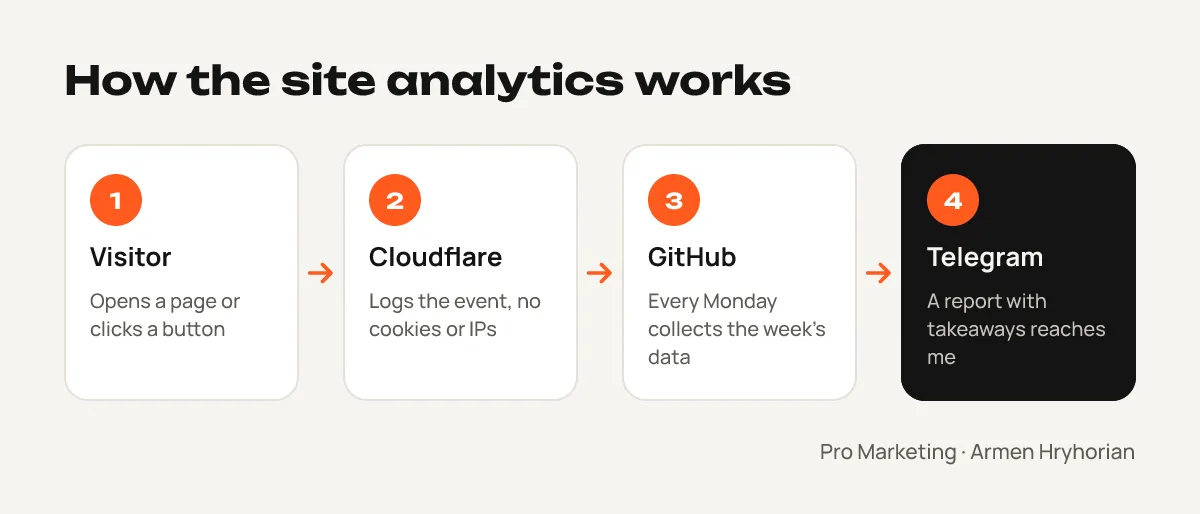
My site runs on Cloudflare (how I built it is in my one-evening website case study). Every page view passes through a small script on Cloudflare’s server, which writes the event into a built-in analytics database. It’s free within limits that a personal site won’t come close to.
Then every Monday at 9:00 a script on GitHub runs automatically. It pulls the week’s data, compares it with the previous week and sends me a short report in Telegram:
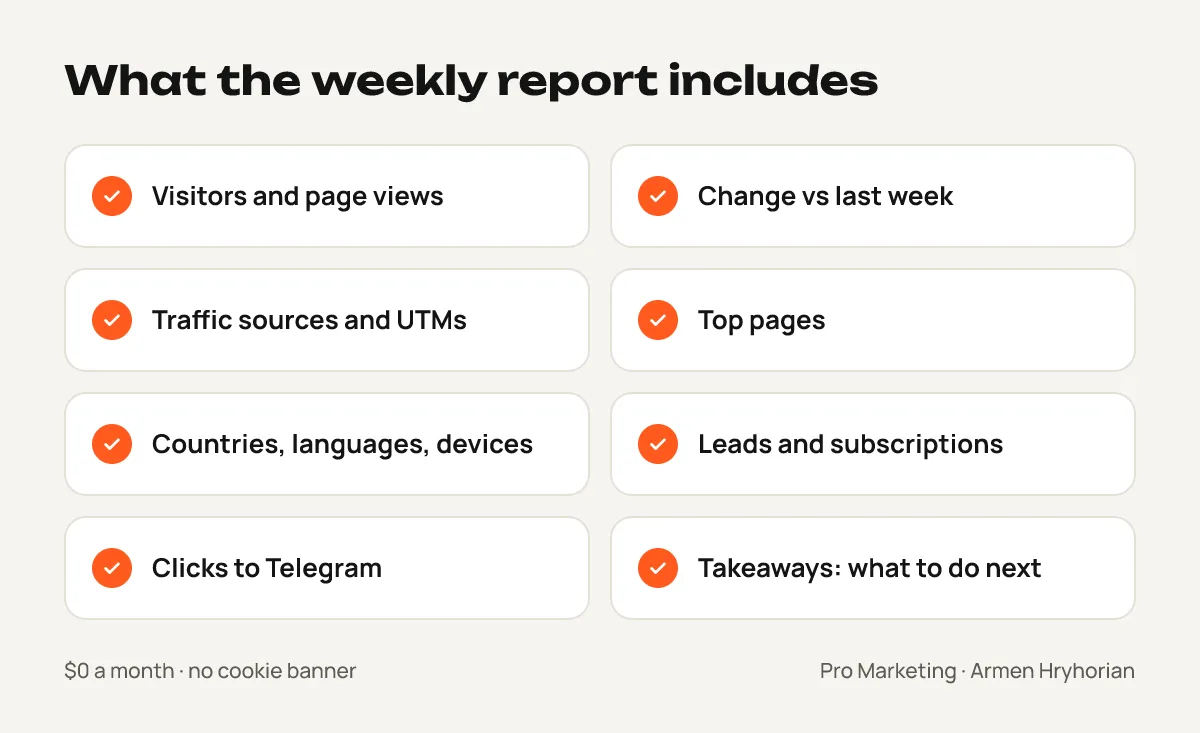
- visitors and page views, and how they changed week over week;
- where people came from and which pages they read;
- leads, subscriptions and clicks to Telegram;
- takeaways — what grew, what dropped and what deserves attention.
A 30-day data snapshot is also saved every day. When I want a deeper look, I just tell Claude “analyse the report” — it reads the numbers itself and suggests what to change on the site or in the content.
Where it broke
This case study wouldn’t be honest without this part.
After the analytics went in, the first review from one of my students was supposed to appear on the site. Hours passed and it wasn’t there. I asked Claude: “Why hasn’t the review appeared if I already gave you all the information?”
Claude checked and found the cause: since the analytics was connected, not a single site update had been published. Cloudflare rejected them because the analytics database hadn’t been created in the account. The site was up, but frozen on the old version, and every new change — the review included — was stuck.
What we did:
- Claude temporarily switched the analytics off — a minute later the site updated and the review appeared.
- Following Claude’s instructions, I created the database in the Cloudflare dashboard — three taps on my phone.
- Claude switched the analytics back on, checked the deploy and ran a test report — it arrived in Telegram.
Lesson: if changes “don’t show up” on your site, first check whether the deploy actually went through. The problem may be nowhere near where you’re looking.
What it cost
- Tools: $0 — Cloudflare and GitHub on free plans.
- Time: about two hours, including finding and fixing the error.
- Code I wrote: zero lines. My job was to set the task, tap a few buttons in the dashboard and check the result.
What’s next
The first full report arrives on Monday, and after a few weeks I’ll have a real picture: which articles bring people in, which social networks work and where leads come from. I’ll share the numbers from this case separately.
If your business has ads and a website but no clear picture of what actually brings in clients, that’s where I start a marketing audit. And if you want your team to set up this kind of analytics with AI themselves, there’s team training.